Sepolia Guide
Gas, Faucet, and BTK Setup
This page is a practical onboarding flow for users who interact with BERT on Sepolia. It explains what gas is, how to fund your wallet with Sepolia ETH, and how to import BTK in MetaMask.
Core Rules
Gas token: on Sepolia you always pay transaction fees in Sepolia ETH, not in BTK.
BTK role: BTK is used by protocol mechanics (voting, balances, accounting), but never as network gas.
Required network: chainId 11155111 (Sepolia). Wrong network is the most common cause of failed calls.
Safety: use only test funds on Sepolia and verify contract addresses before importing tokens.
1) Get Sepolia ETH from Faucet
Show how user receives test ETH that is required for gas payments.
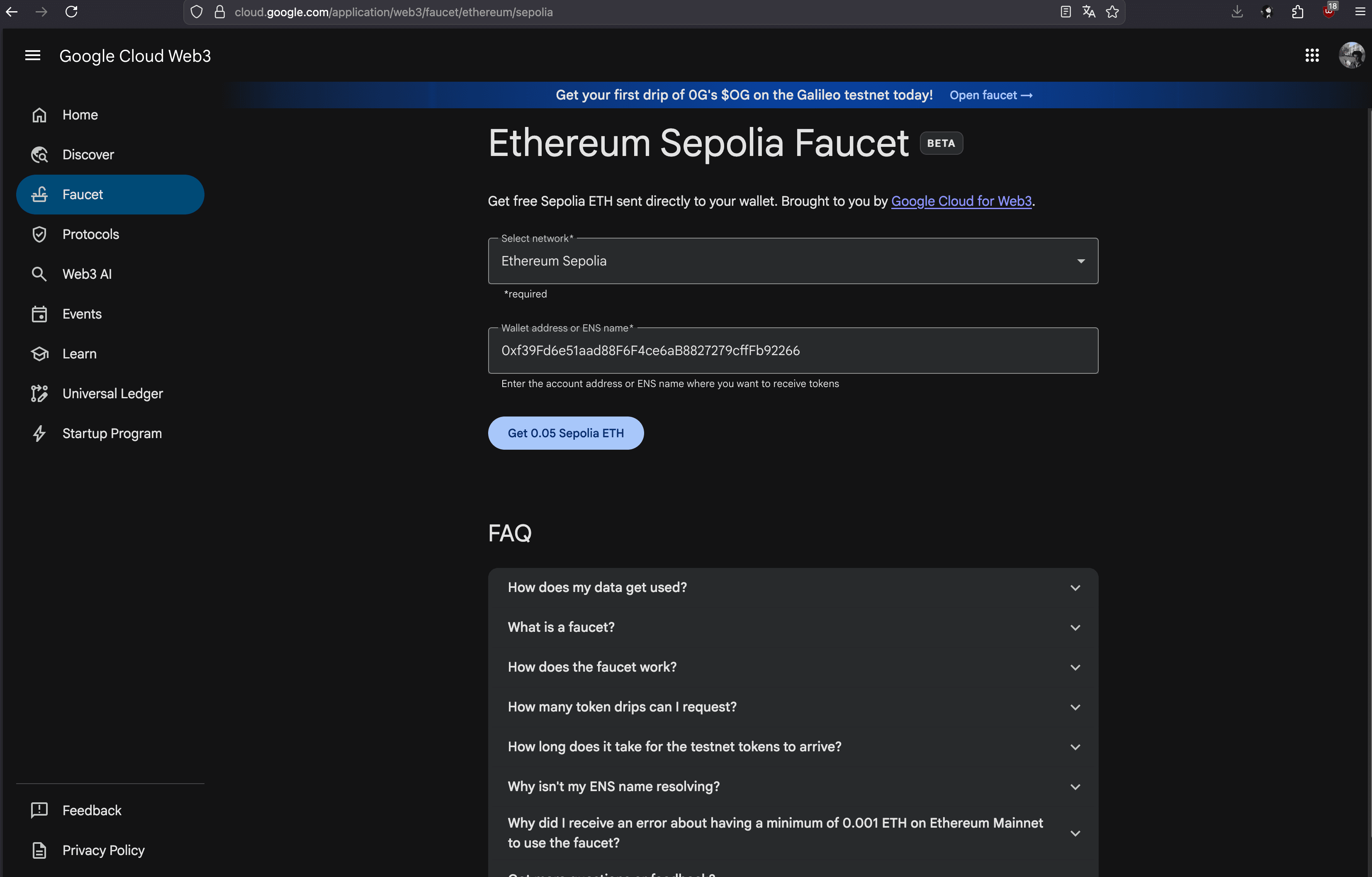
What to capture
- Faucet page with Sepolia network selected.
- Wallet address field filled before request.
- Success state (request sent / completed).
- MetaMask balance showing received Sepolia ETH.
2) Add BTK to MetaMask
Show how user imports BTK token contract and verifies token config.
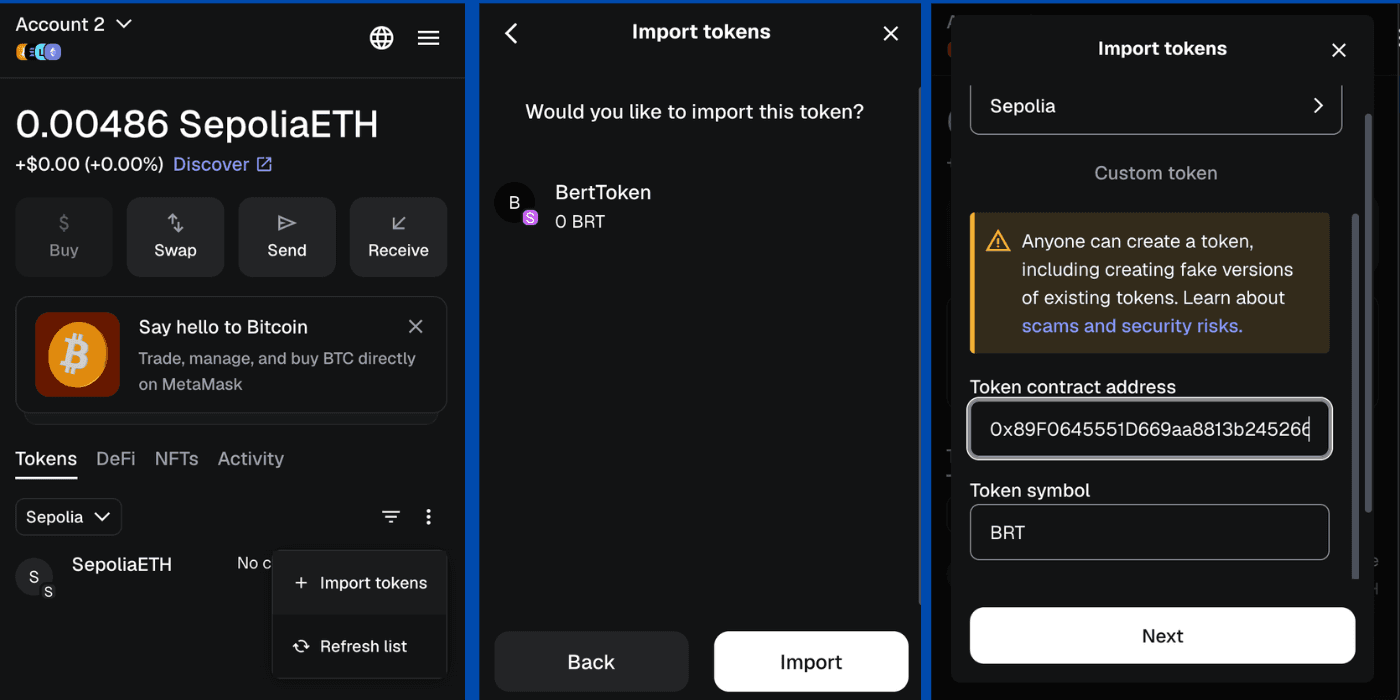
What to capture
- MetaMask Import tokens screen.
- BTK contract address pasted into token address field.
- Auto-filled symbol/decimals (or manual inputs) visible.
- Final wallet asset list with BTK shown.
3) Pay Gas for a Real Action
Show how gas appears during a transaction and what user should verify before confirming.
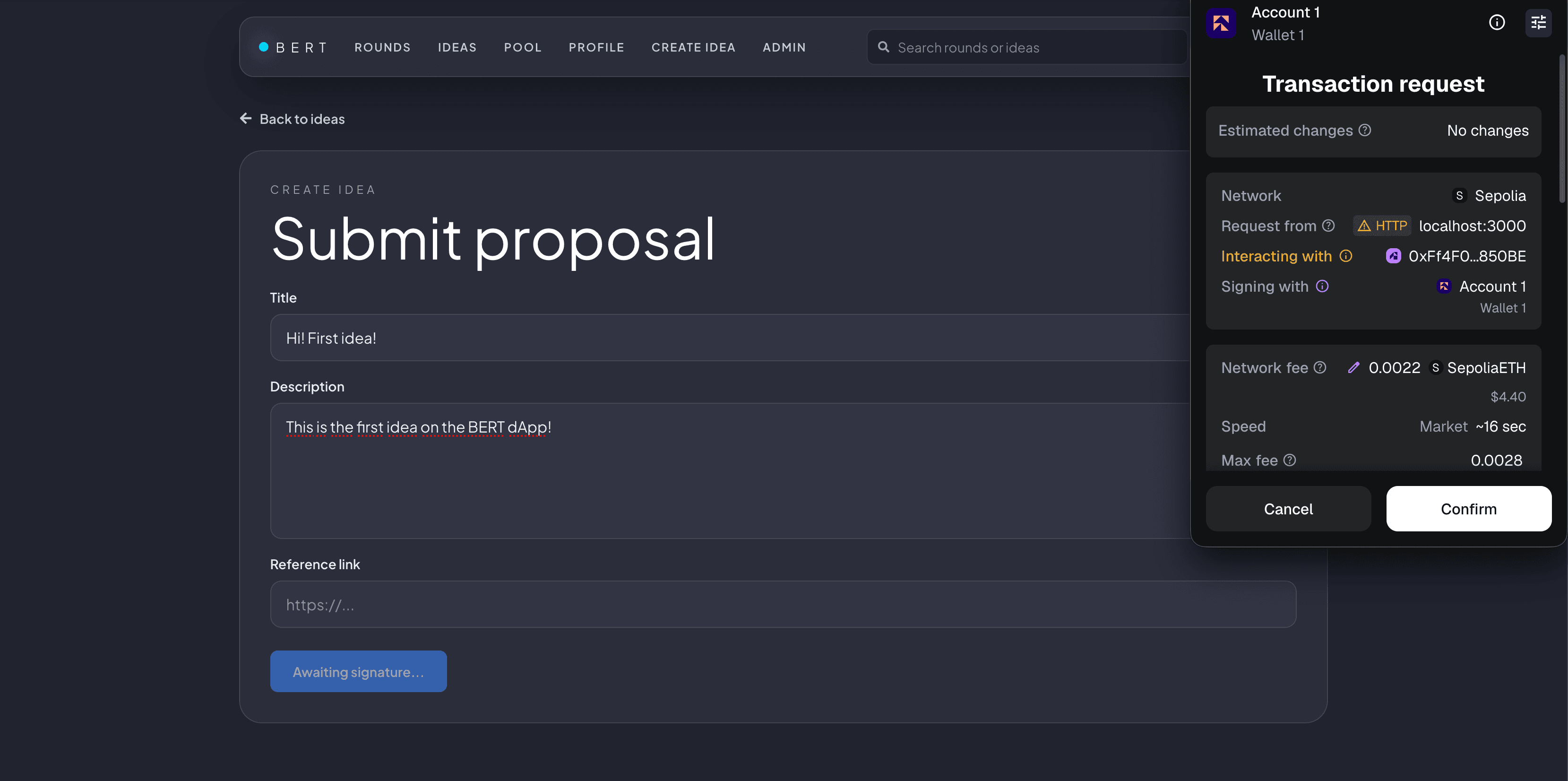
What to capture
- dApp action that opens transaction confirmation (for example claim/createIdea/vote).
- MetaMask confirmation modal with network = Sepolia.
- Gas fee section visible in ETH.
- Post-transaction success state (tx hash or explorer link).
Quick Troubleshooting
- If transaction does not open in wallet, first confirm wallet is connected and network is Sepolia.
- If BTK amount looks wrong, verify token decimals in contract and re-import token.
- If calls revert with network error, re-check frontend RPC config and wallet network alignment.